Available to others starting January, beginning with the Go version

The hosting panel with the extras already built in.

WHP is a hosting control panel for hosting providers and self-hosters, with fixed pricing. Container isolation, backups, a web application firewall, AI-assisted monitoring, log review and a site builder come with the panel.

  • HTTP/3 at the edge
  • Automatic SSL via ACME
  • DNS with DNSSEC (PowerDNS)
  • Backups to S3, FTP or SFTP
  • Mail with per-domain TLS
  • cPanel backup importer

Included with the panel

  • Per-site container isolation
  • Backups with I/O throttling
  • WAF at the edge
  • AI-assisted monitoring and log review
  • Visual site builder
Why WHP

Stop paying for add-ons, and for your own growth

Traditional hosting panels charge more as you host more accounts, and they are commonly sold with separate add-ons for malware scanning, containerization and backups. In WHP, containerization and backups are built in, WordPress sites update themselves, and live malware scans on request and on a schedule are being added before launch.

What you usually add on

  • Malware scanning
  • Containerization
  • Backup software
  • A higher price for every account you add

Add-ons are commonly sold separately, and per-account pricing means success raises your bill.

What is included in WHP

  • Container isolation per site
  • Backups, with scheduling, retention and S3/FTP/SFTP targets
  • Web application firewall (WAF), built into the HAProxy edge
  • WordPress auto-updates and security hardening
  • AI-assisted monitoring
  • Log review
  • Site builder
  • Fixed pricing: hosting more accounts does not raise the price

Fixed pricing. One predictable price, with no per-account charges that grow as you do and no stack of add-ons. Pricing will be announced when WHP goes live.

Mail is powered by Poste.io, licensed separately. Get a Poste.io license.

Switching

Moving from cPanel? Bring your accounts with you.

WHP includes a cPanel importer and a mail host proxy, so a move does not mean rebuilding every site or reconfiguring every mail client.

cPanel importer

  • Import a cPanel backup (cpmove archive): domains, website files, MySQL databases with their users, and DNS records.
  • Choose which sites to import. Addon and parked domains are handled.
  • WordPress configuration files are rewritten with the new database credentials.
  • Imports can run in an isolated sandbox that scans extracted files for malware signatures before they touch your server.
  • SSL certificates are issued automatically.
  • Email comes across too: mailboxes, forwarders and messages, with each mailbox keeping its existing password so nobody has to reset anything.
  • A catch-up sync at cut-over copies only the mail that arrived since the first run, so nothing is missed.

Mail host proxy

  • Mail clients set to mail.yourdomain.com keep working after the move, with no reconfiguring on every phone and laptop.
  • Each domain’s mail host presents its own TLS certificate, chosen by the name the client asks for, so there are no certificate warnings.
  • Covers IMAP, POP3 and SMTP submission.
  • The real client IP is passed to the mail server, so abuse protection still sees who is connecting.
Features

What you get, and what it looks like

Screenshots are from the WHP panel running on a staging server with test data.

Security, built in rather than bolted on

Hardening is part of the panel, not a shopping list.

  • Every site runs in its own container, so a problem in one site stays in that site.
  • TOTP two-factor login (authenticator apps) with one-time backup codes.
  • WordPress hardening on install: file editor disabled, PHP execution blocked in uploads, XML-RPC blocked, security headers, and optional automatic core, plugin and theme updates.
  • Account suspension that blocks panel login, reroutes every site to a suspended page, stops its containers and refuses FTP/SFTP.

In practiceEmergency WordPress patch campaigns verify the result afterwards, because “updated” does not always mean “clean”. Account imports from other panels can be run through a sandbox that scans files for malware signatures before they touch your server.
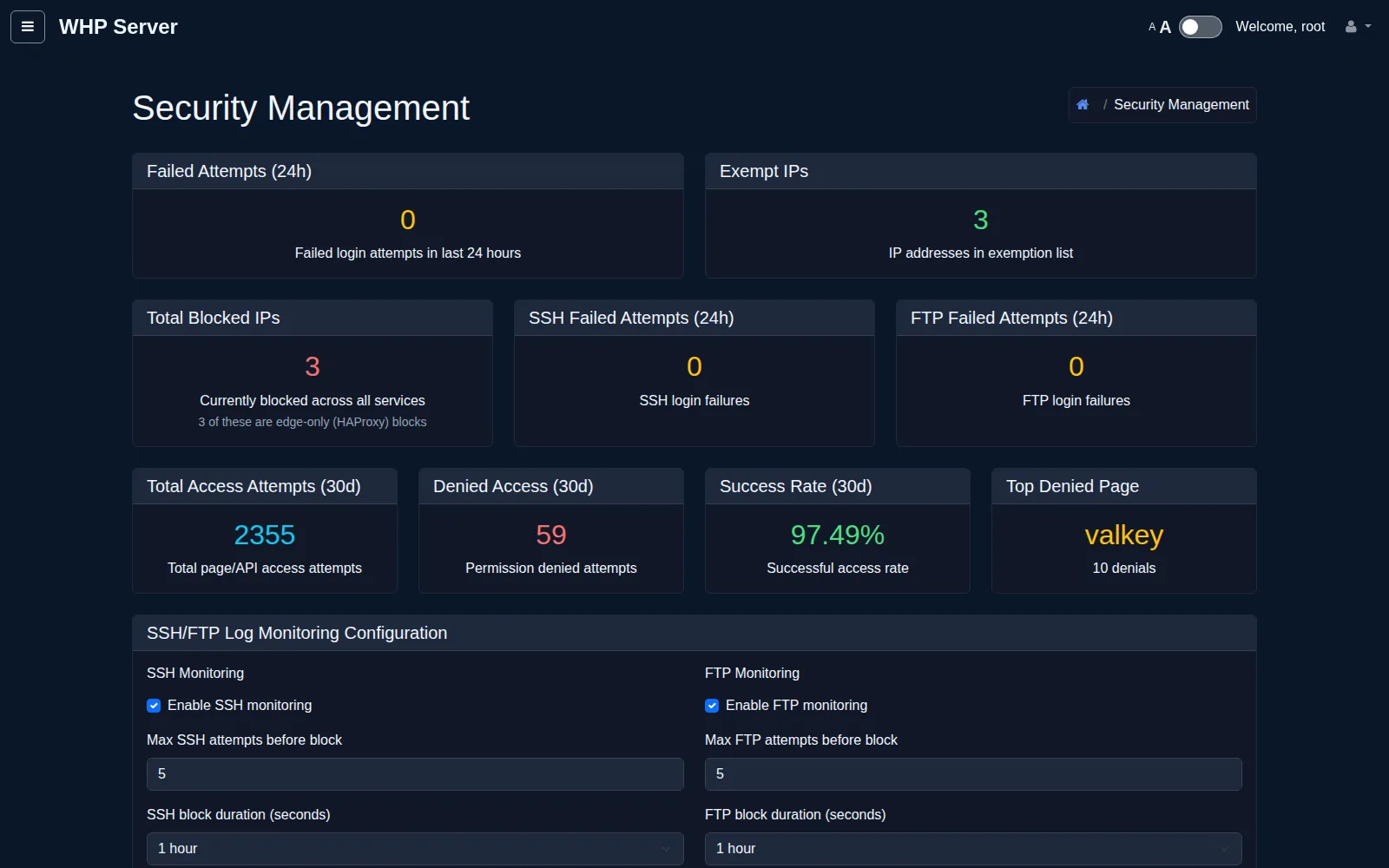
Dark-theme Security Management page with tiles for failed attempts, blocked IPs and access statistics.
Security Management dashboard: failed logins, blocked and exempt IPs, access success rate and SSH/FTP monitoring settings. Staging panel, test data.

AI-assisted monitoring

An extra pair of eyes that reads the logs you do not have time to.

  • Watches site health and the edge load balancer every minute and records incidents as issues.
  • Findings are de-duplicated, so the same problem is not reported over and over.
  • Mark an issue fixed, ignored or suppressed; notifications can go to Discord or Slack.
  • Bring your own AI provider (Anthropic or OpenAI). API keys are never shown again after saving.

In practiceIssues are tracked in one place, and customers see only the findings for their own sites.

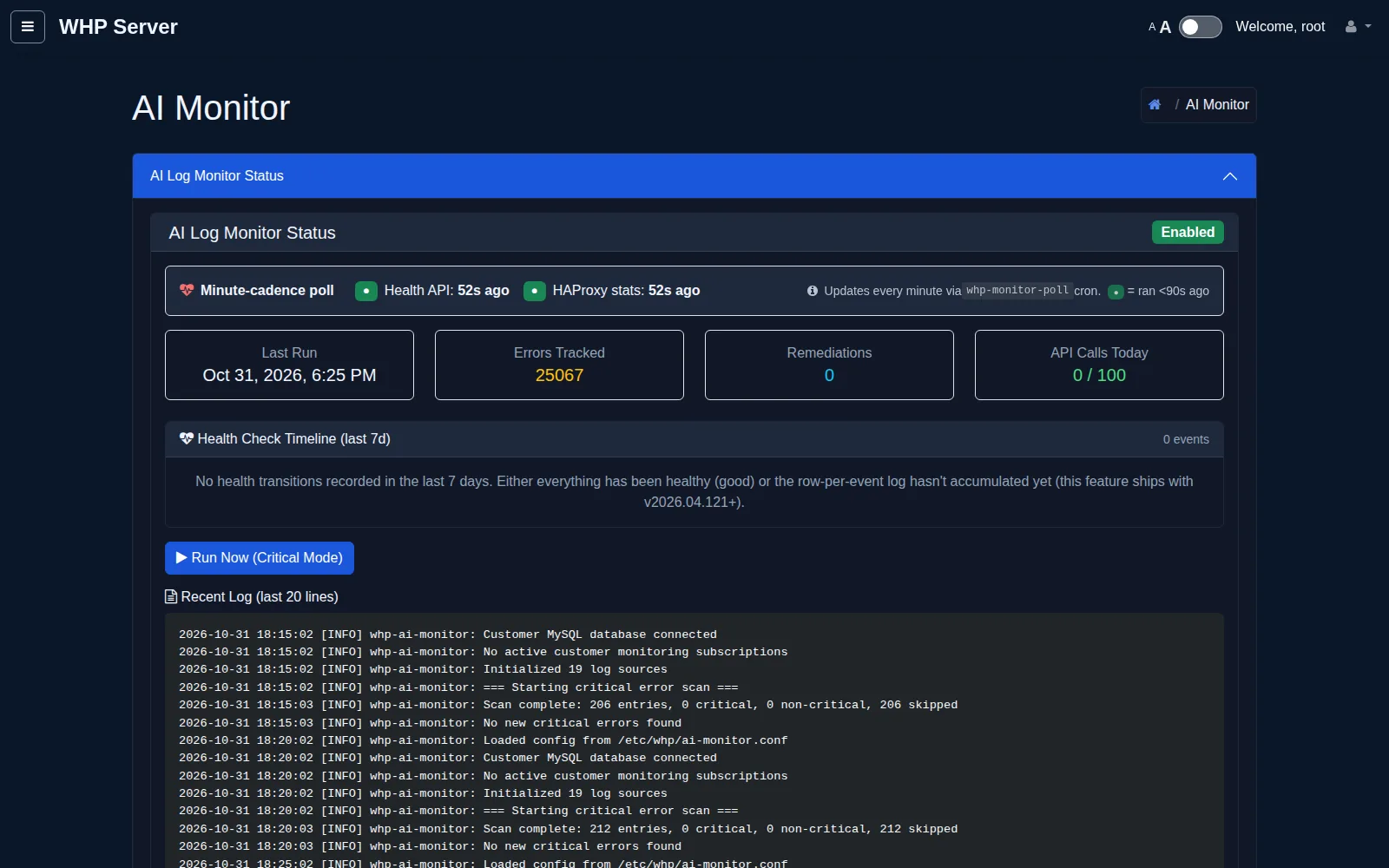
Dark-theme AI Monitor page showing Enabled status, health poll indicators, summary tiles and recent log lines.
AI Log Monitor status: enabled, minute-cadence health polling, errors tracked, API-call budget and the live monitor log. Staging panel, test data.

Log review without the grep

Ask for a review and get findings, not a wall of text.

  • Request an AI review of a site’s logs from the panel.
  • Stale entries are ignored: only the last 14 days of log lines are considered, so old errors are not reported as current.
  • Each finding carries the evidence from the log that triggered it.
  • Separate SSH and FTP login monitoring is available for admins.

In practiceA rebuilt site does not keep haunting you with errors from before the rebuild.

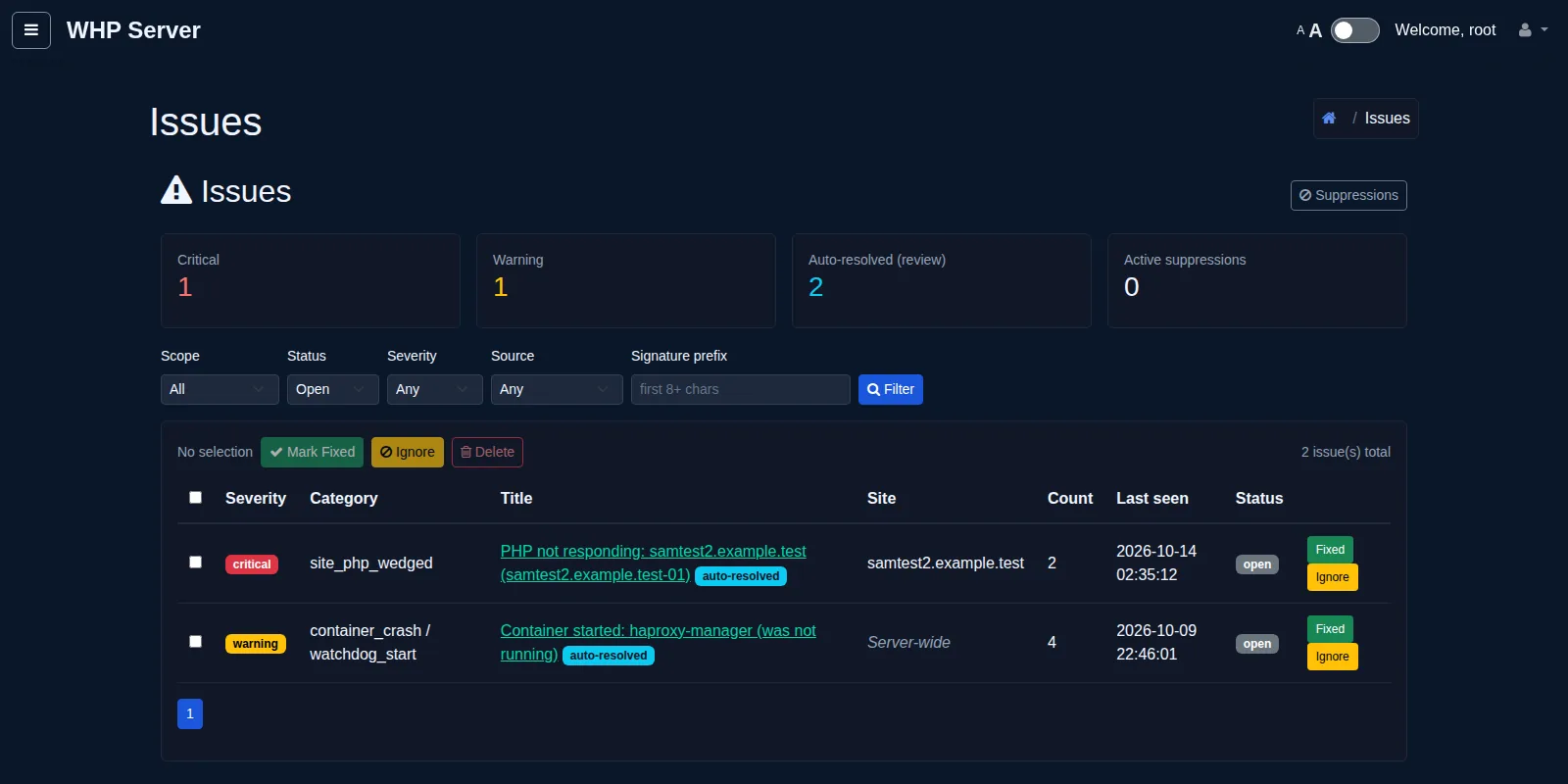
Dark-theme Issues page with severity counters, filters and a table of two findings.
The Issues page where monitor findings are triaged by severity, with Mark Fixed, Ignore and Delete actions. Staging panel, test data.

A site builder that ships with the panel

Visual editing and publishing without another subscription.

  • Visual editor for static sites, with publish to the site’s own hosting.
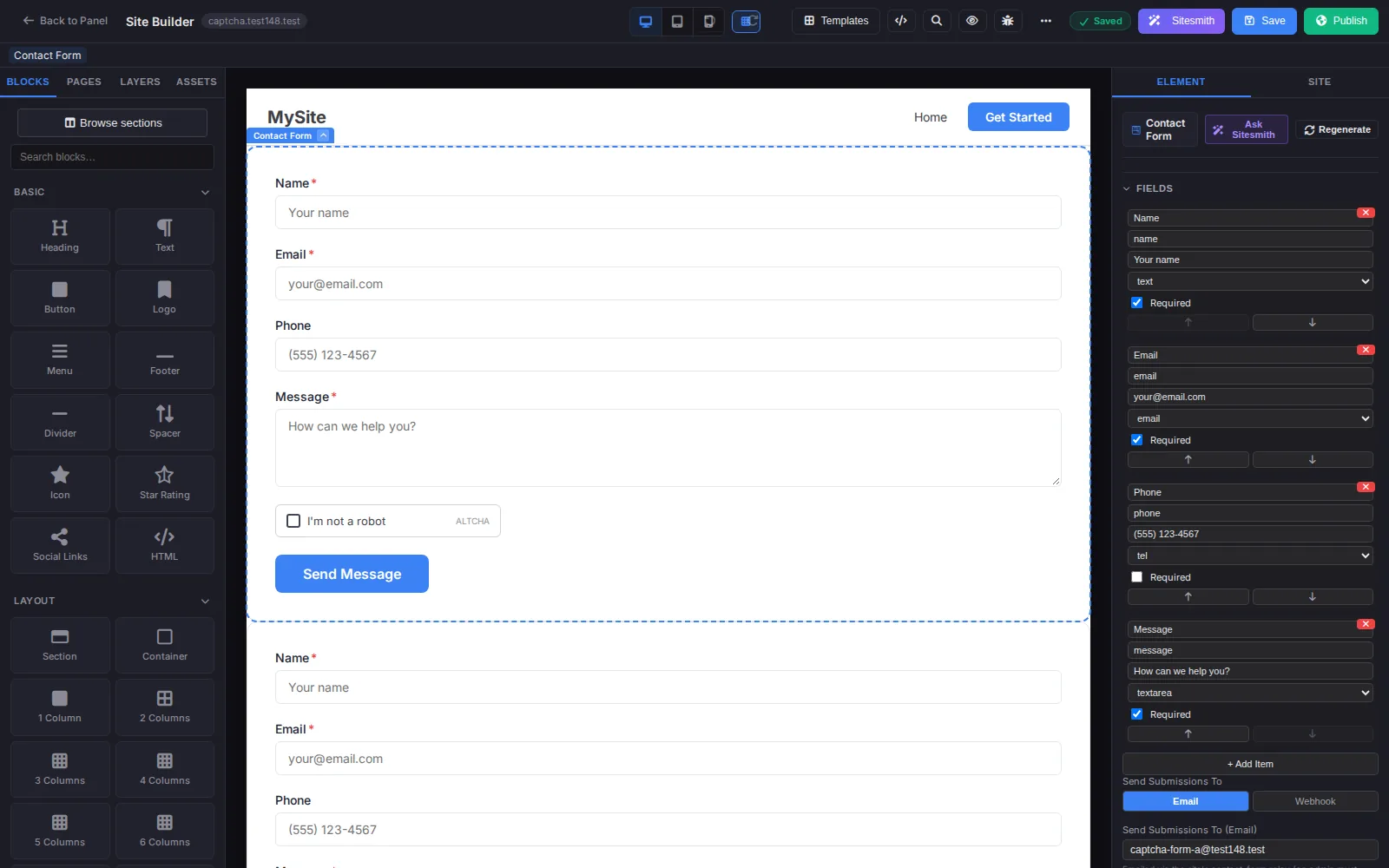
  • Built-in contact-form relay: forms on your page send mail through WHP, no third-party form service.
  • ALTCHA captcha is applied to relay forms: a privacy-friendly challenge with no tracking cookies.
  • Export what you built; it is yours.

In practiceThe form relay and captcha are one switch away from the editor, with no plugin to install.

Visual site builder with blocks panel, a contact form with captcha on the canvas and form field settings on the right.
The built-in site builder with a contact form selected and its field and submission settings in the right panel. Staging panel, test data.

A web application firewall at the edge

Requests are inspected before they reach your containers.

  • Coraza WAF built into the HAProxy edge, running the OWASP Core Rule Set v4.
  • A rule manager lets admins set rules to enforce, detect-only or off, server-wide or per hostname, without rebuilding anything.
  • Blocked visitors see a block page with a reference ID your support team can look up.
  • Customers get a guarded self-service way to deal with false positives on their own sites.

In practiceFixing a false positive is a setting in the panel, not an image rebuild at 3 a.m.

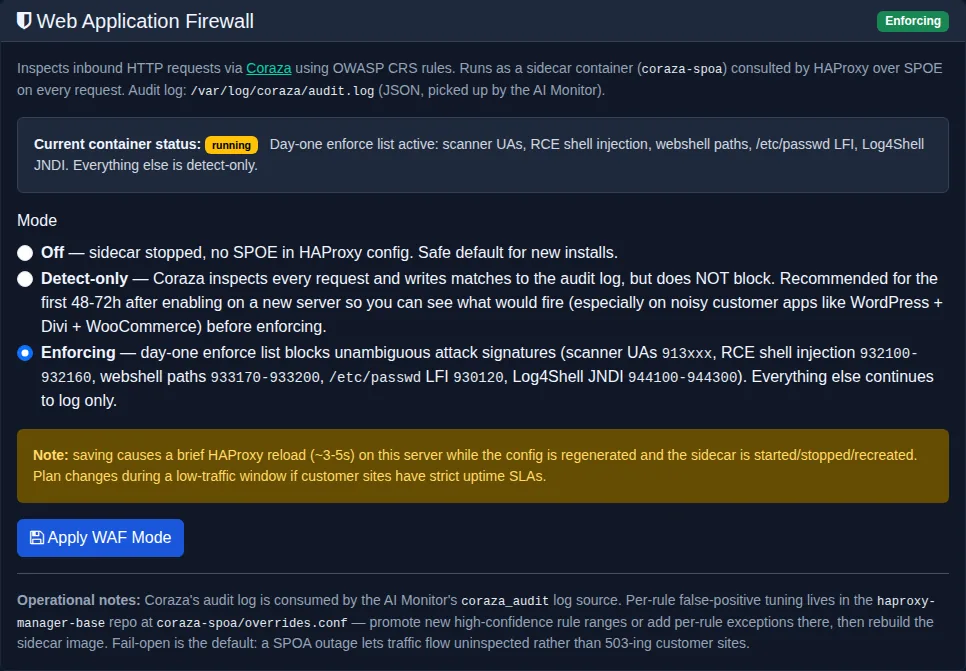
Dark-theme WHP panel card titled Web Application Firewall with an Enforcing badge and three mode options, Enforcing selected.
The Web Application Firewall card showing Coraza running in Enforcing mode with Off, Detect-only and Enforcing choices. Staging panel, test data.
For your customers

A panel your customers can actually use

Every account gets its own view of WHP, limited to its own sites. Customers choose how it looks: two layouts, in light, dark or matching their device.

  • Europa opens on a searchable grid of tools grouped by task, so a customer finds email, backups or databases in a click.
  • Titan opens on classic dashboard cards with a slide-in navigation drawer.
  • Customers manage their own sites, domains and DNS, email, backups, databases and files, and handle false positives on their own sites through guided site security.

Europa layout

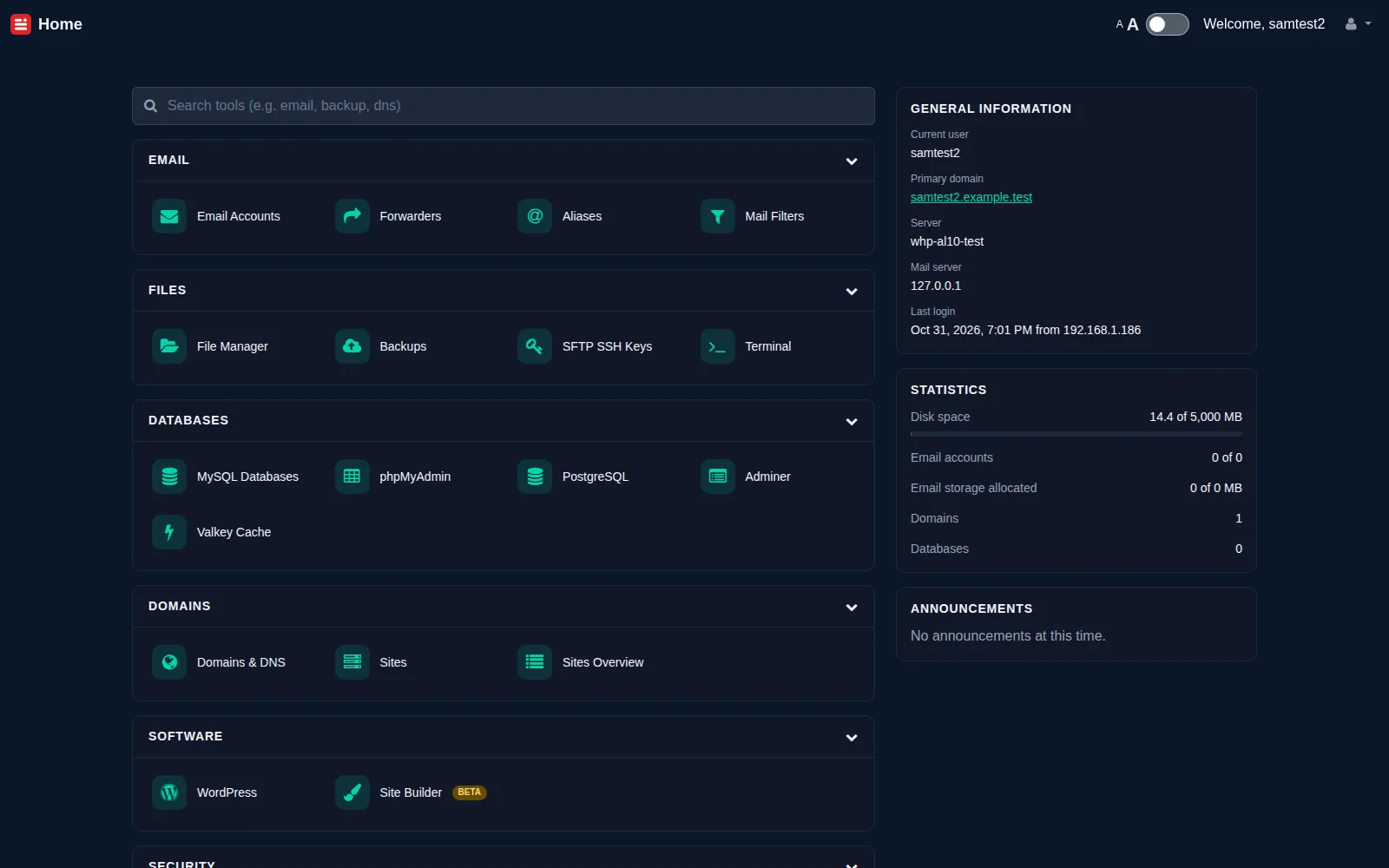
Customer dashboard in the Europa layout: a searchable grid of tool tiles grouped by category with account statistics alongside
Dashboard, Europa layout. Staging panel, test data.
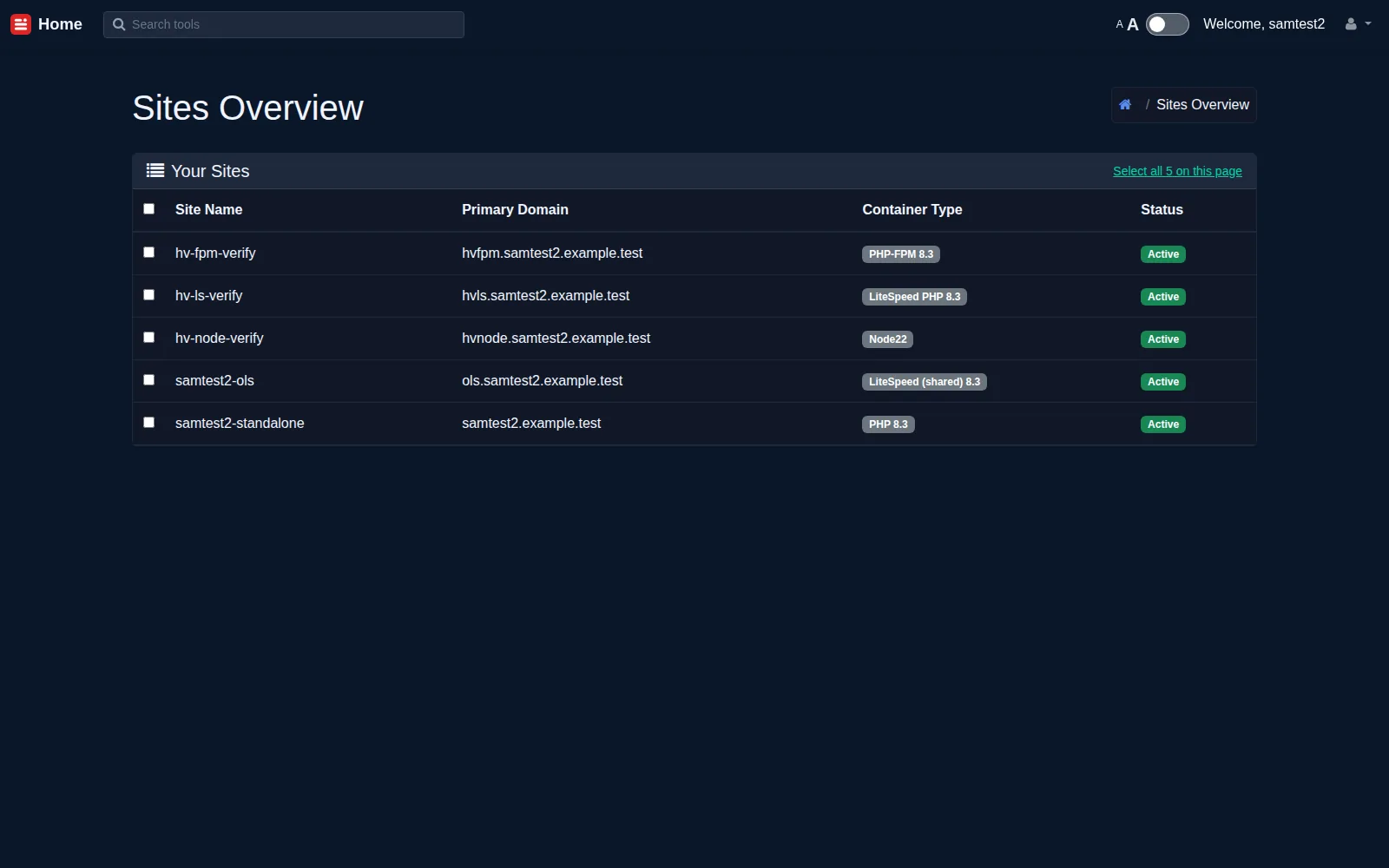
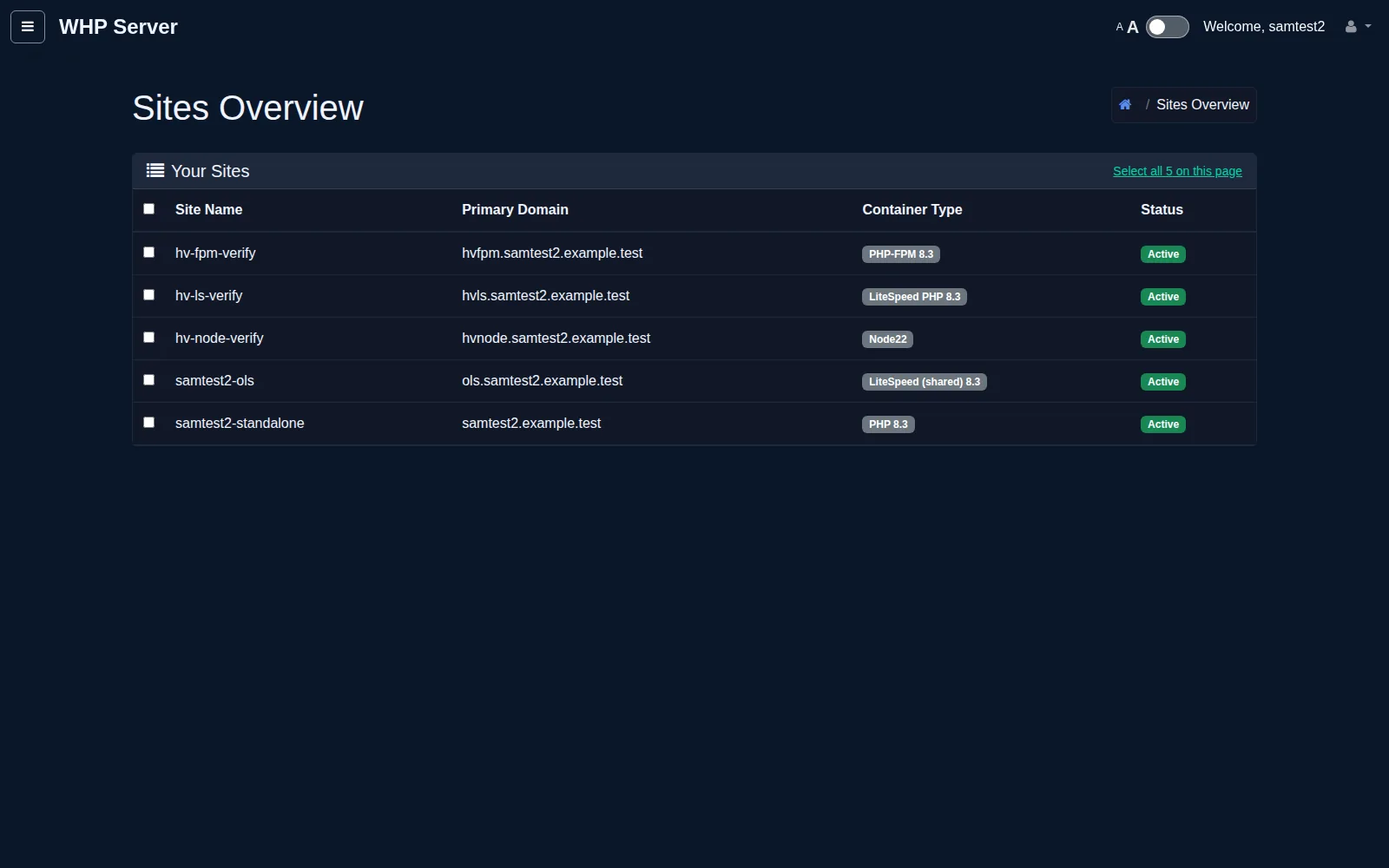
My Sites (Sites Overview) in the Europa layout: Sites Overview listing five sites with their container types and status
My sites, Europa layout. Staging panel, test data.
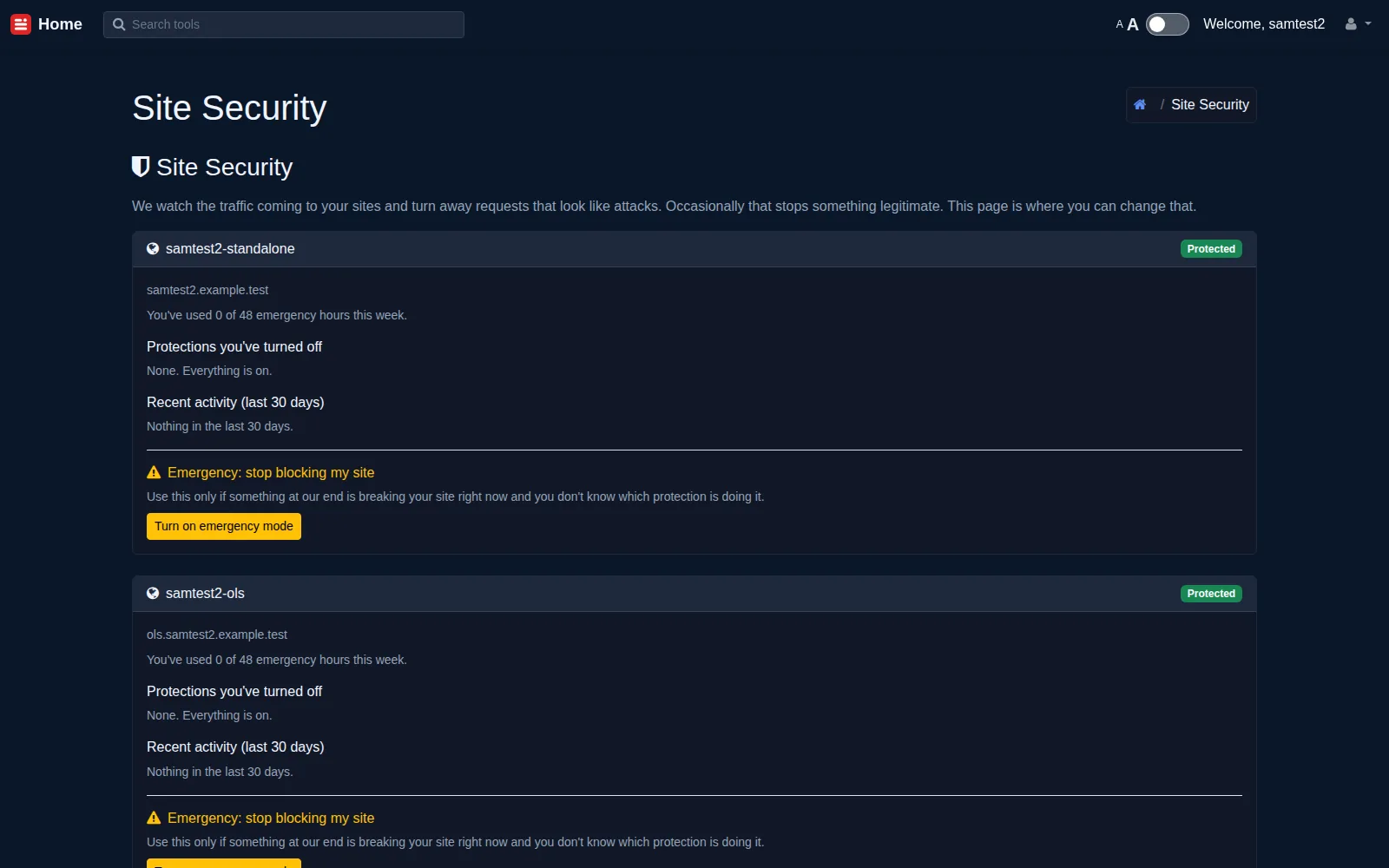
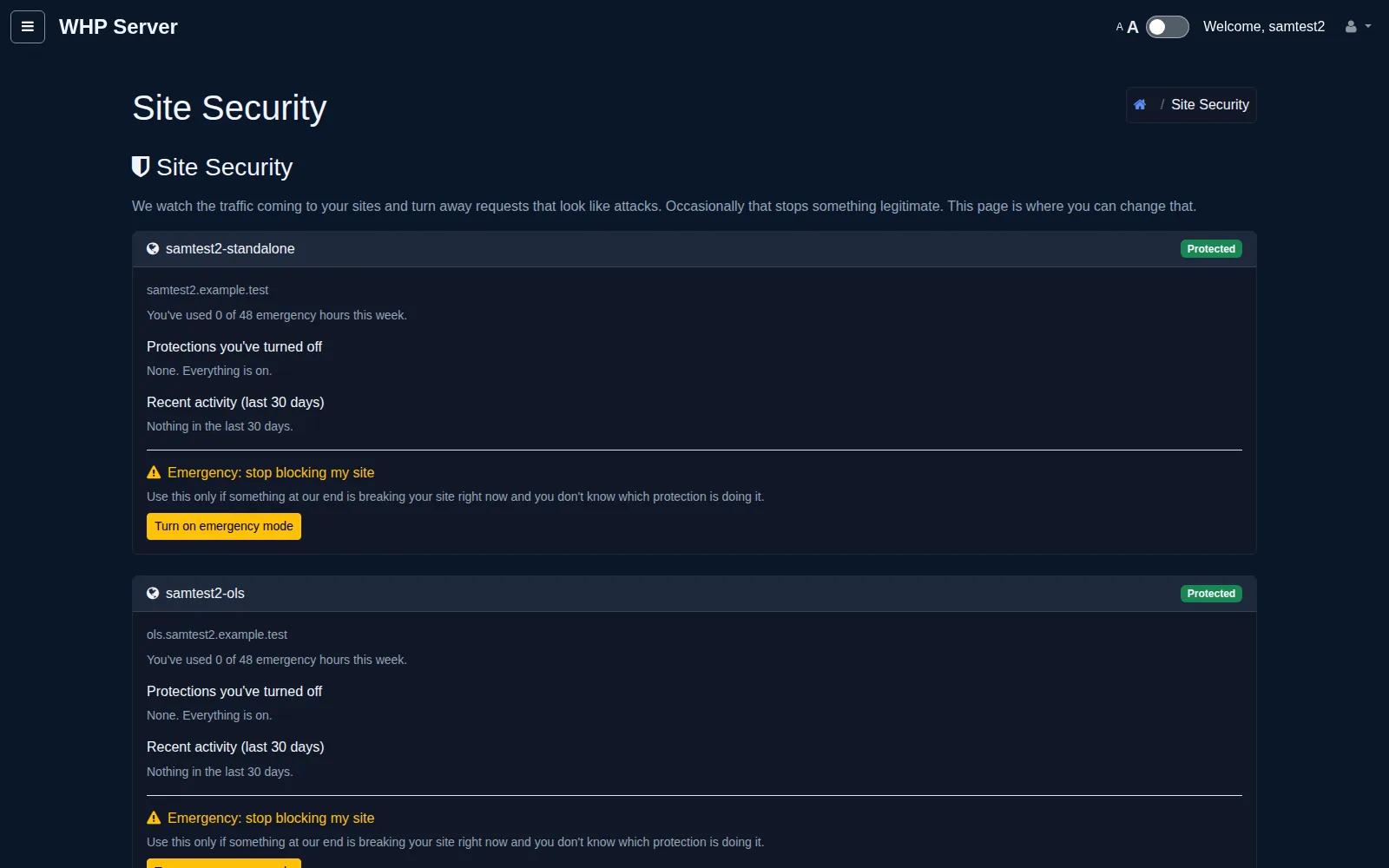
Site Security (WAF self-service) in the Europa layout: Site Security self-service cards showing per-site protection state, recent activity and the emergency-mode control
Site security, Europa layout. Staging panel, test data.
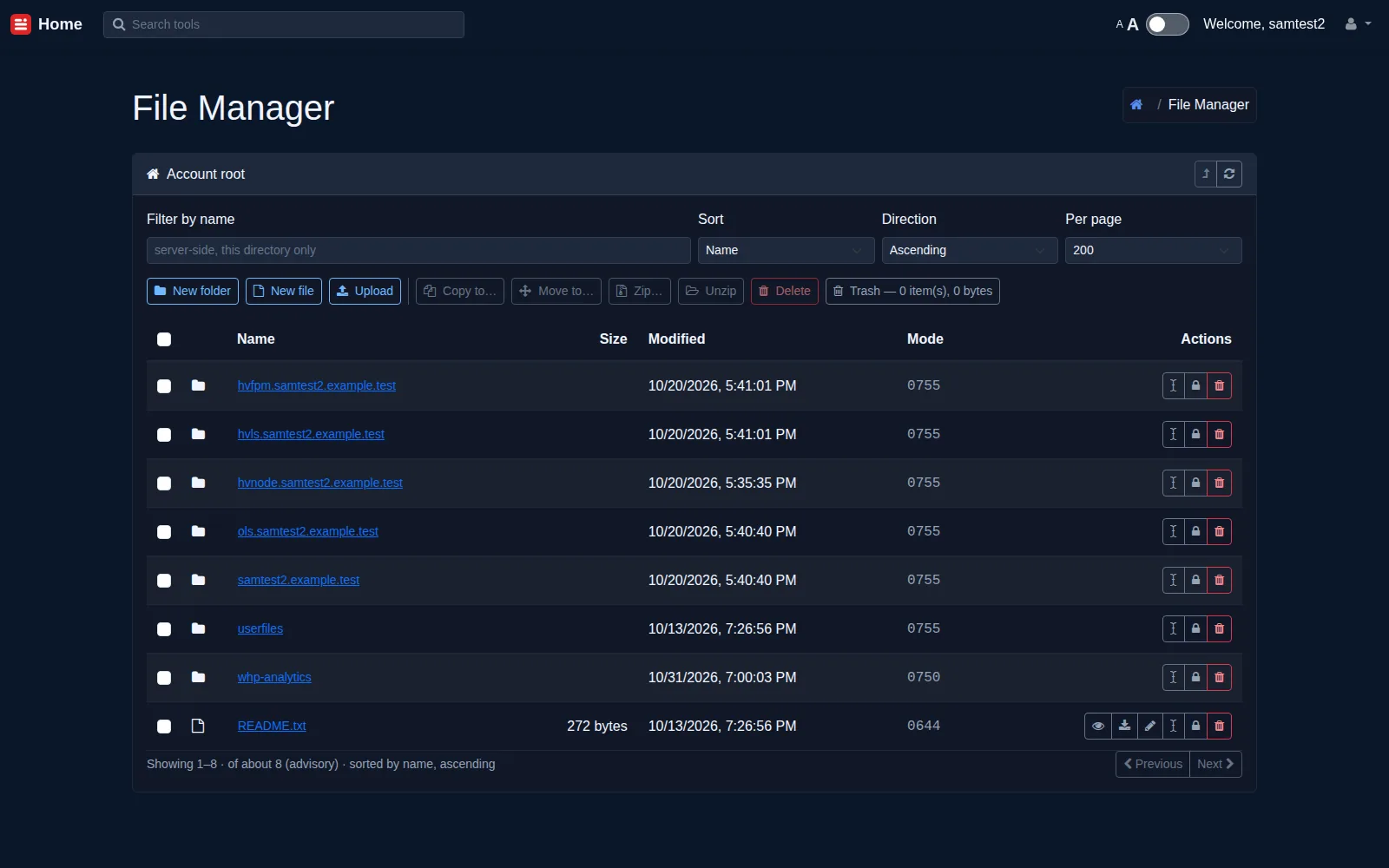
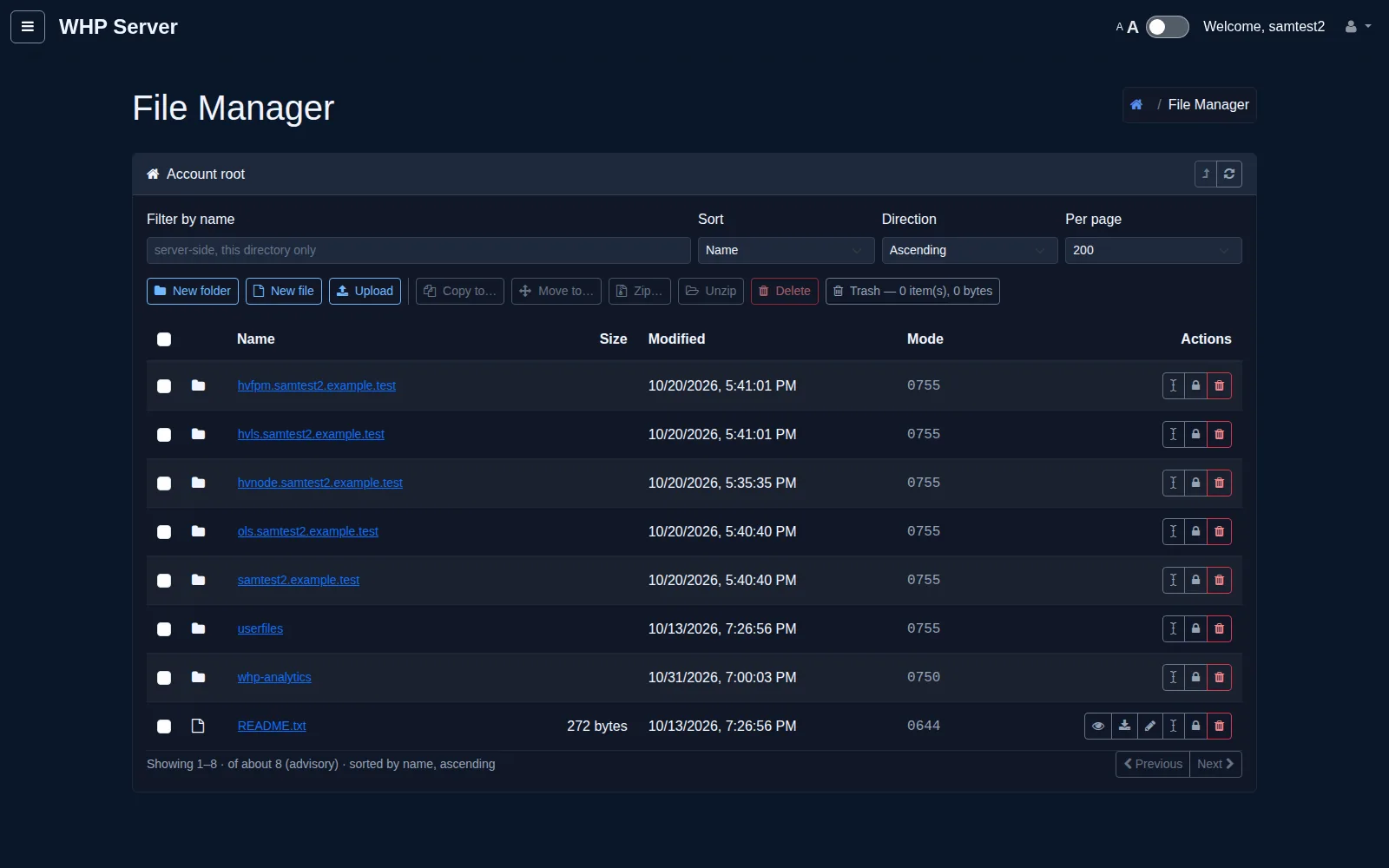
File Manager in the Europa layout: File Manager at the account root listing site folders and a README
File manager, Europa layout. Staging panel, test data.

Titan layout

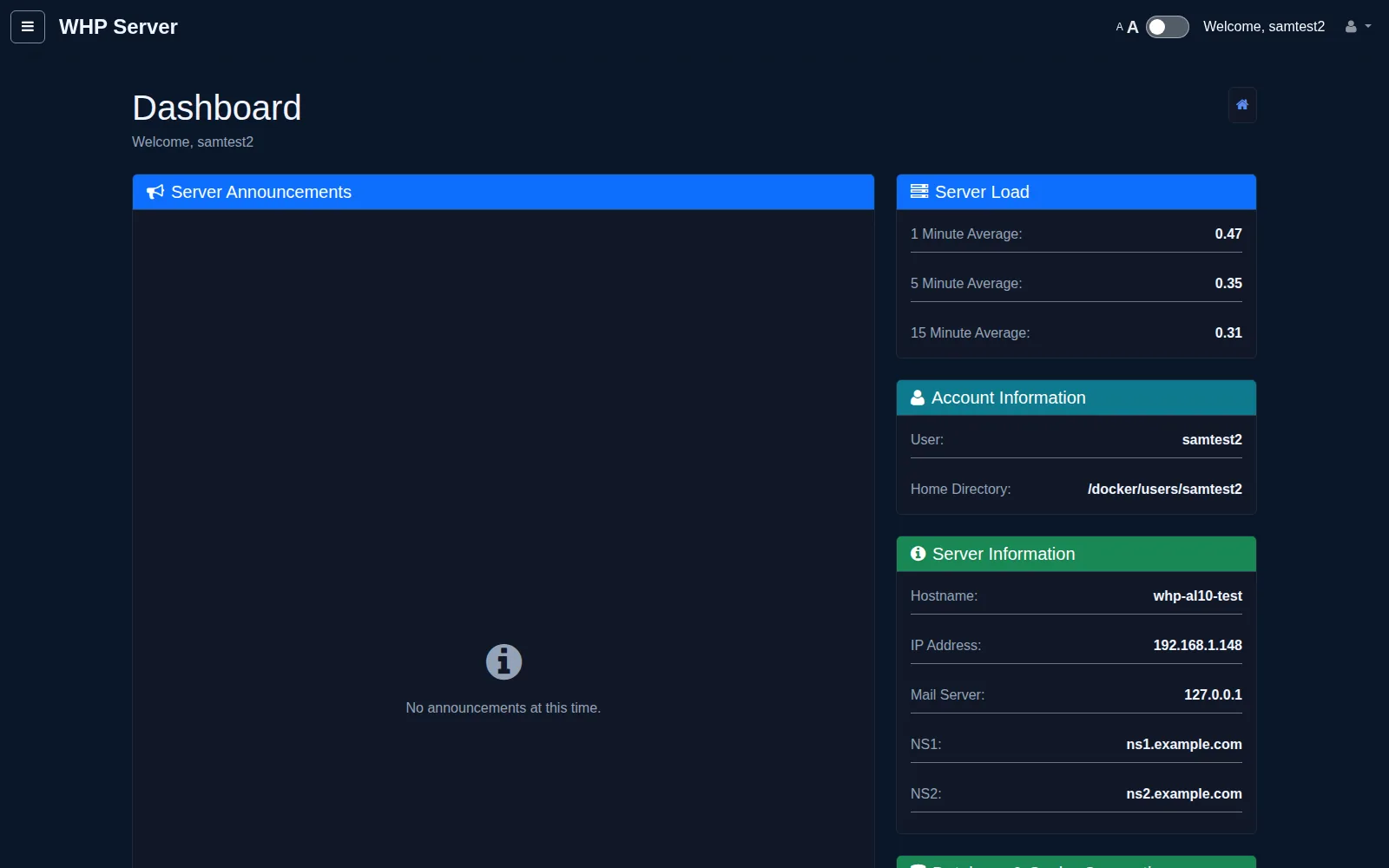
Customer dashboard in the Titan layout: summary cards for server load, account and server information under a top bar with a navigation drawer
Dashboard, Titan layout. Staging panel, test data.
My Sites (Sites Overview) in the Titan layout: Sites Overview listing five sites with their container types and status
My sites, Titan layout. Staging panel, test data.
Site Security (WAF self-service) in the Titan layout: Site Security self-service cards showing per-site protection state, recent activity and the emergency-mode control
Site security, Titan layout. Staging panel, test data.
File Manager in the Titan layout: File Manager at the account root listing site folders and a README
File manager, Titan layout. Staging panel, test data.
Roadmap

Q1 plans

Where WHP is going in the first quarter. Items marked planned are goals, not promises of a date.

  1. Now

    Go version early access (January)

    WHP opens to others starting in January, beginning with the Go version of the panel.

  2. Planned · before launch

    Live malware scans

    Scan a site on request from the panel, or on a schedule you choose.

  3. Planned · later in Q1

    MCP for administrators

    Goal: let AI assistants operate the panel through the Model Context Protocol (MCP), with scoped permissions so an assistant can only do what you allow.

  4. Planned · later in Q1

    MCP for customers

    Goal: let customers use their own AI assistants to manage their own sites via MCP, limited to their own resources.

Be first to know when WHP opens up

One email when WHP is available. No form, no tracking.